Ludex - Unite your entire collection under Steam
A downloadable tool for Windows
Import your entire collection of standalone and portable games into Steam with just a few clicks. Get Steam overlay, screenshots, and a unified library for all your games — whether they came from itch.io, GameJolt, F95Zone, DLsite, or anywhere else.
Perfect for:
- Power users with large portable game collections
- Visual novel enthusiasts
- Indie game collectors
- Anyone organizing legacy or retro game libraries
Features
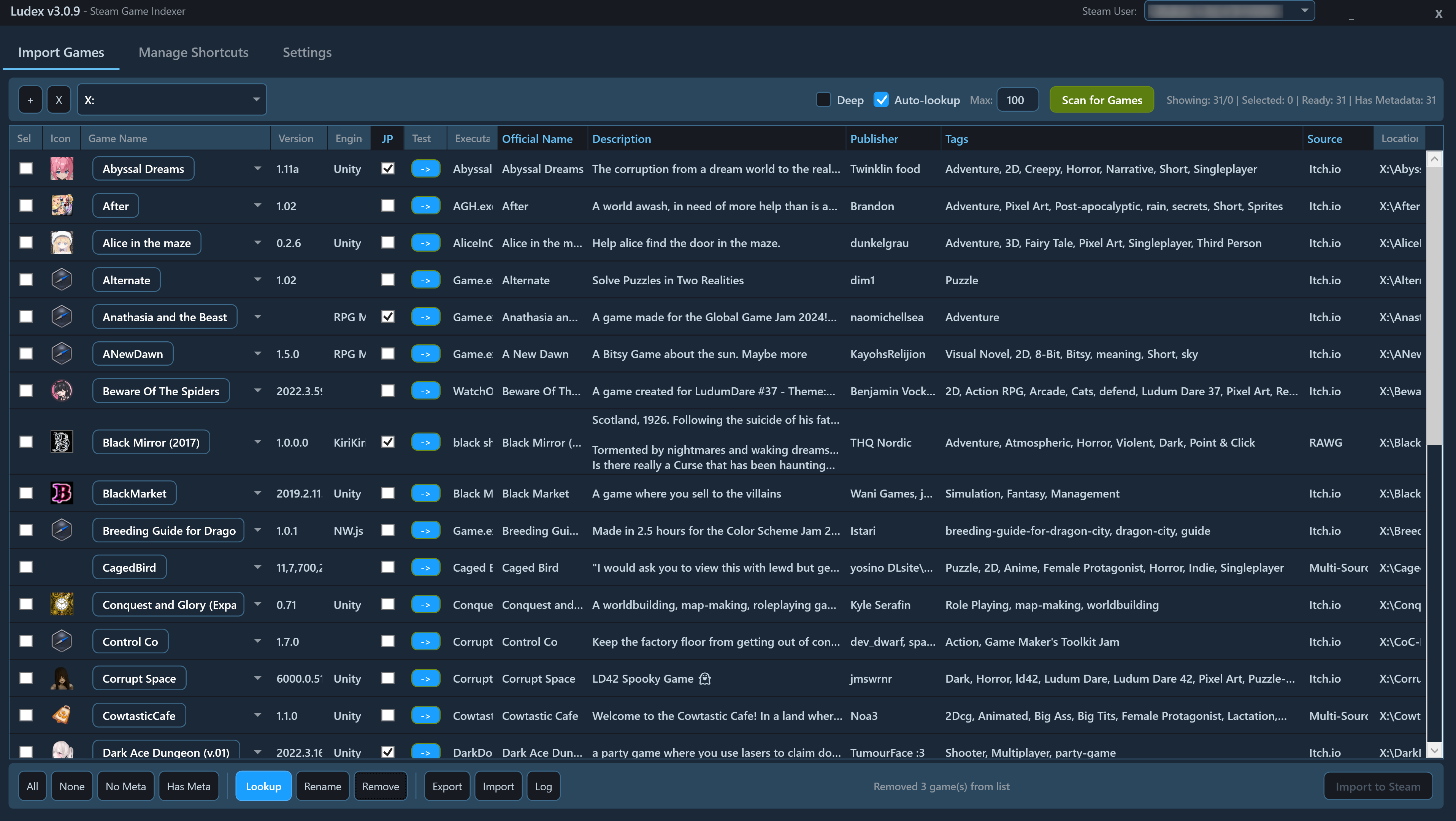
Smart Game Detection Ludex automatically scans your folders and identifies games across 60+ engines including Unity, Unreal, Godot, RPG Maker, Ren'Py, Wolf RPG, Twine, GameMaker, KiriKiri, NScripter, and many more. It uses intelligent confidence scoring to select the best executable when multiple options exist.
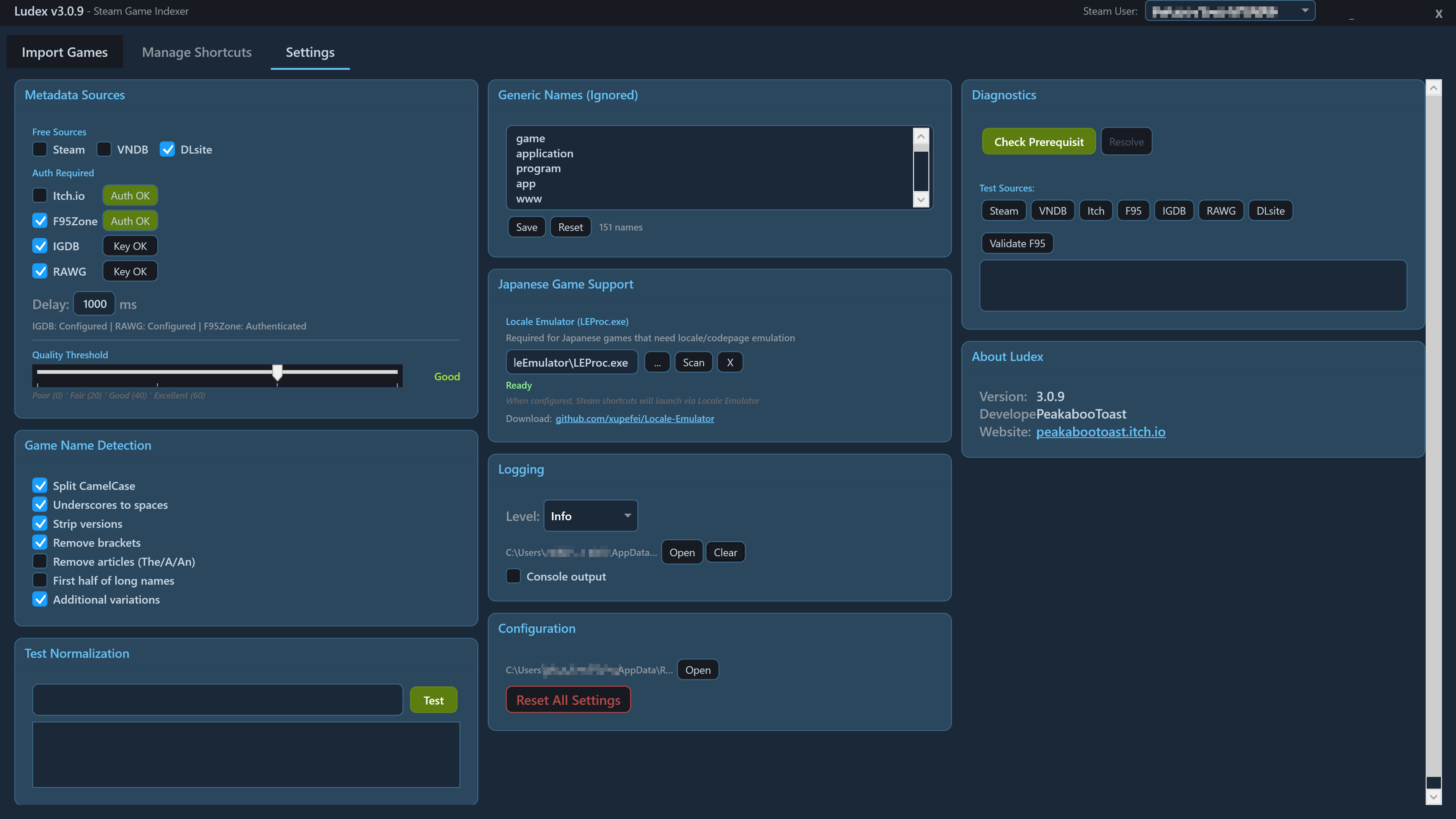
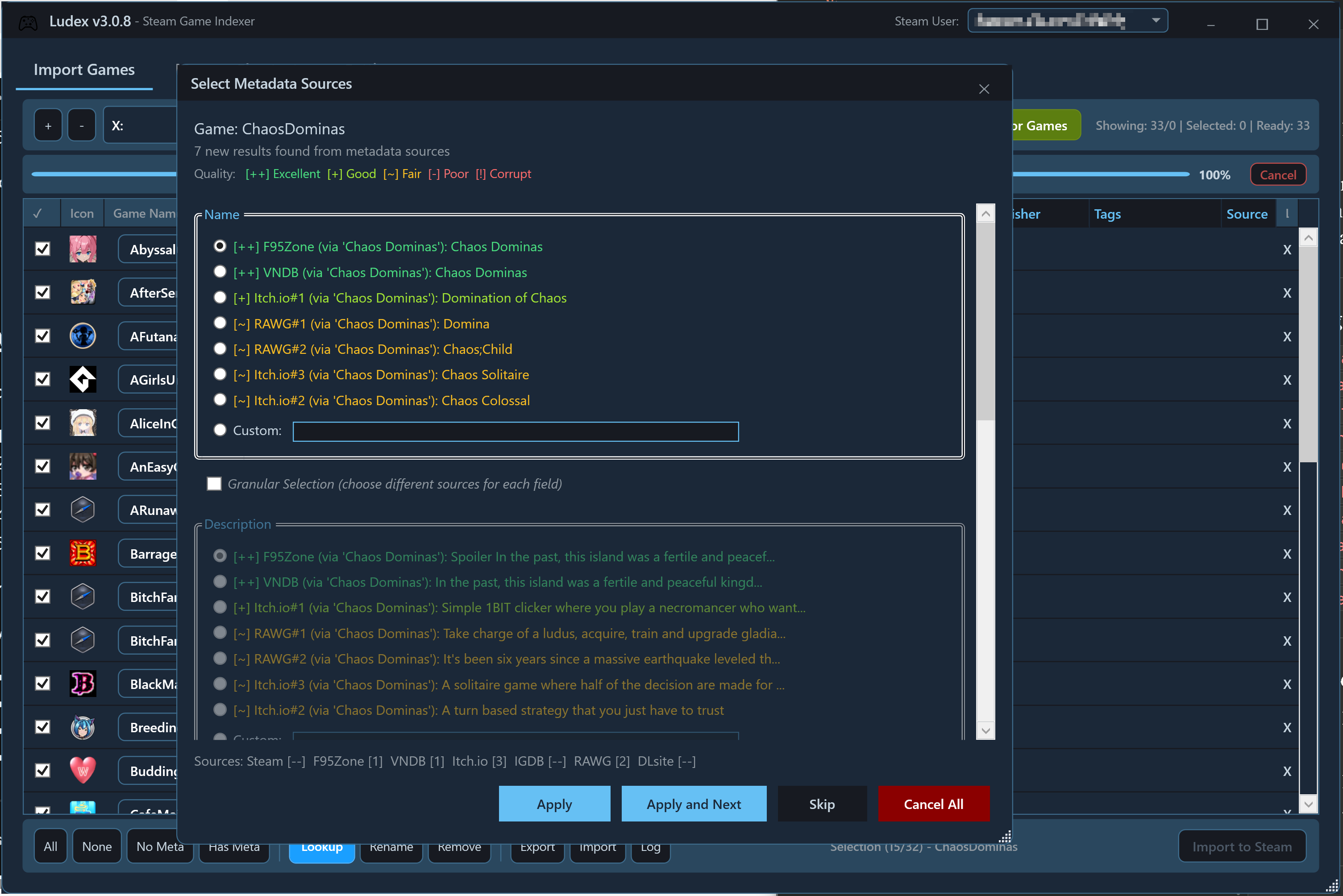
Automatic Metadata Lookup Stop manually entering game info. Ludex fetches titles, descriptions, developers, and tags from multiple sources:
- Steam
- VNDB (visual novels)
- IGDB
- RAWG
- Itch.io
- DLsite
- F95Zone
The multi-source merger lets you query all sources at once and pick the best fields from each.
Batch Operations Built for large collections. Scan multiple folders simultaneously, filter by engine or import status, select by metadata availability, and import hundreds of games in a single operation. Batch rename tools help clean up messy folder names — strip version numbers, remove brackets, or find and replace text across your entire selection.
Japanese Game Support Built-in Locale Emulator integration for Japanese games that require locale or codepage emulation. Ludex detects Japanese-origin games and can automatically configure shortcuts to launch through LEProc.exe.
Intelligent Name Processing Ludex cleans up folder names into proper game titles:
- Splits CamelCase (DarkSouls → Dark Souls)
- Removes version numbers (v1.0.2, Ver.2, etc.)
- Strips bracketed text ([Demo], (Final), etc.)
- Handles underscores and formatting artifacts
- Generates multiple name variations for better metadata matching
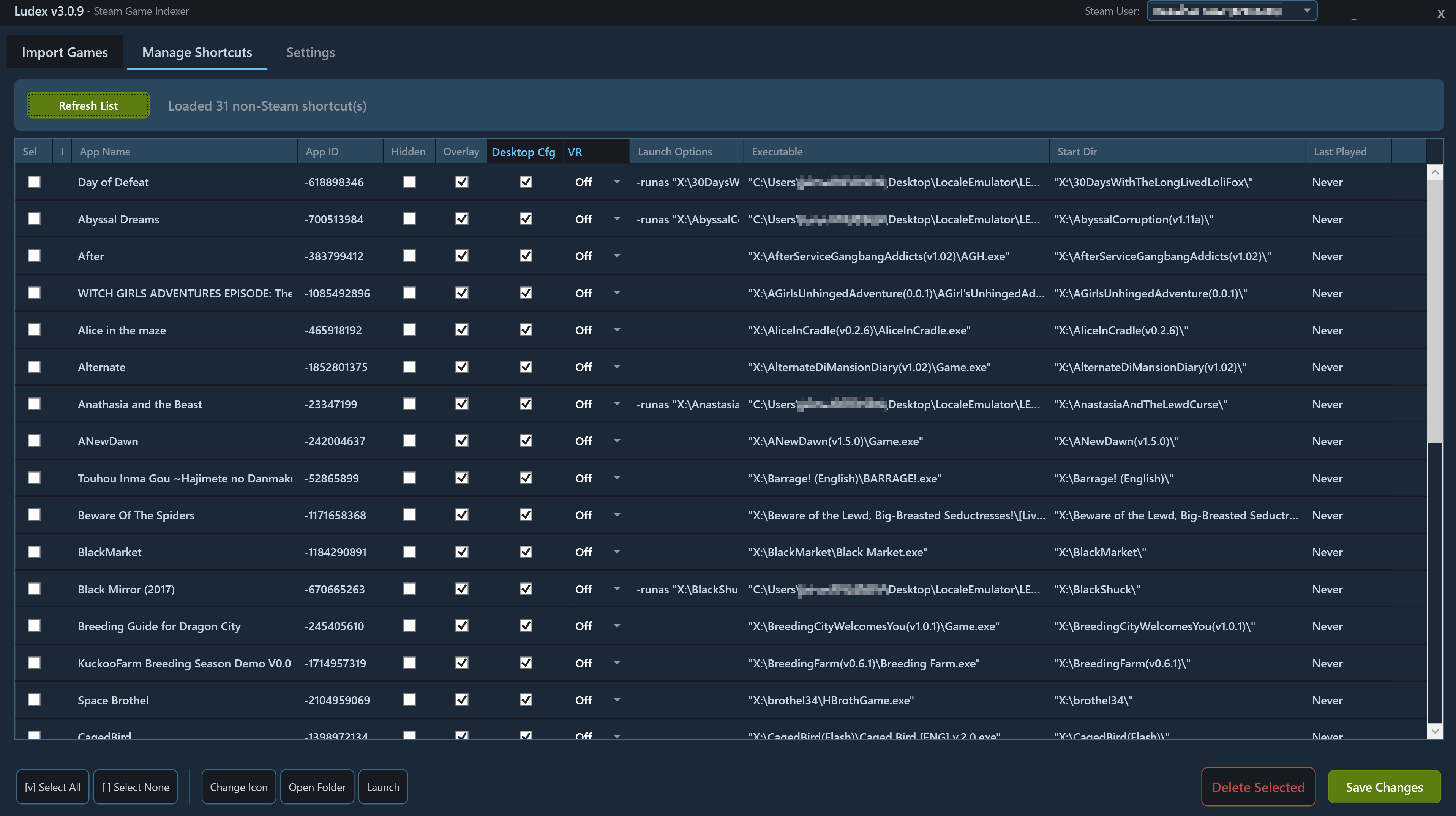
Manage Existing Shortcuts Not just for importing — Ludex also lets you view, edit, and remove your existing non-Steam shortcuts. Change icons, update launch options, or clean up old entries.
Export & Backup Export your scan results to JSON or CSV. Ludex automatically backs up your shortcuts.vdf before any changes, and includes a backup restoration UI if anything goes wrong.
What You Get
After importing, your games appear in Steam with:
- Steam Overlay (Shift+Tab)
- Screenshot support (F12)
- Play time tracking
- Steam Input controller configuration
- Big Picture and Steam Deck compatibility
- All games in one unified library
Purchase
In order to download this tool you must purchase it at or above the minimum price of $10 USD. You will get access to the following files:
Download demo
Development log
- Demo version now Available!97 days ago
- Early Access Launch97 days ago
Leave a comment
Log in with itch.io to leave a comment.